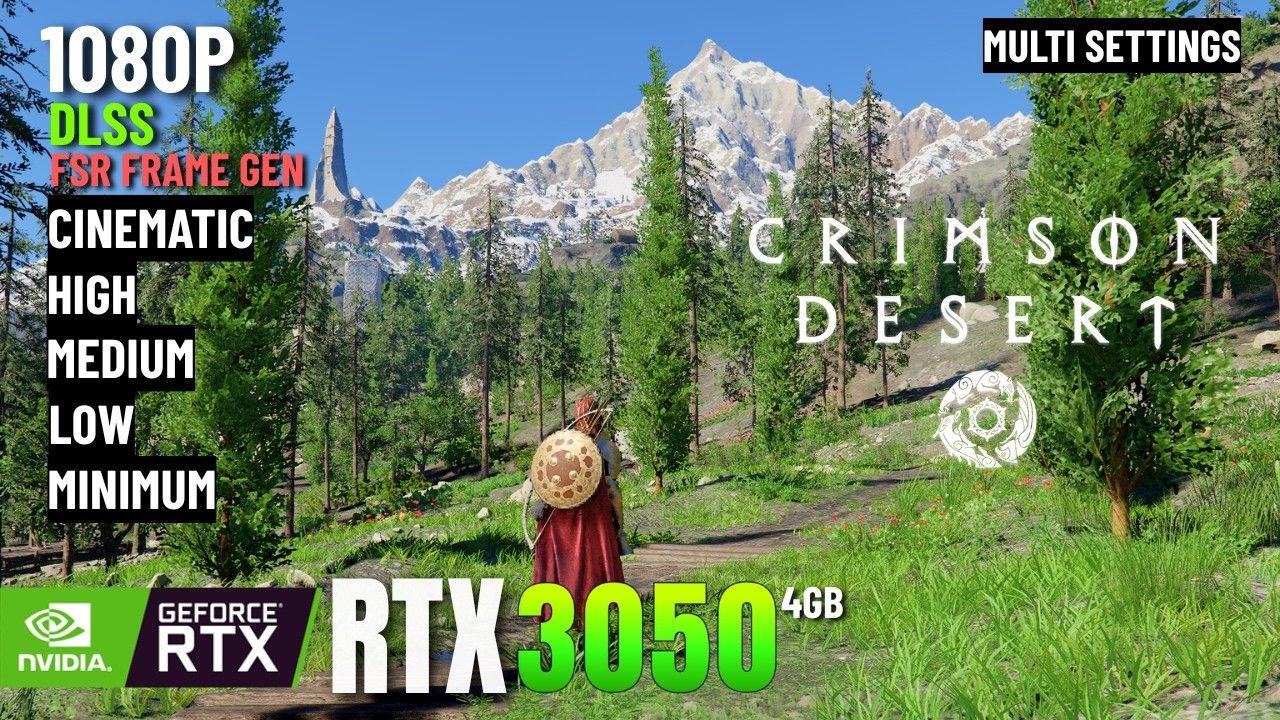
Crimson Desert RTX 2050: If you have an RTX 2050 and want to play Crimson Desert, this guide was written specifically for you. A lot of PC gamers play on laptops with entry-level GPUs like the RTX 2050 — and when Pearl Abyss launched this massive open-world RPG in March 2026, the first question everyone with a budget laptop asked was simple: can my PC actually handle this? The honest answer is that the RTX 2050 sits just below Crimson Desert’s official minimum specs on paper. But that does not mean you are completely locked out. With the right settings and DLSS enabled, a playable 1080p experience is achievable. This guide covers everything you need to know before you buy or launch the game.
Crimson Desert RTX 2050: Quick Overview
| Category | Details |
|---|---|
| Game Title | Crimson Desert |
| Developer / Publisher | Pearl Abyss |
| Release Date | March 19, 2026 |
| Platforms | PC (Steam), PlayStation 5, Xbox Series X/S, macOS |
| Genre | Open-World Action-Adventure RPG |
| Game Engine | BlackSpace Engine (Pearl Abyss proprietary) |
| Upscaling Support | NVIDIA DLSS 4.5, AMD FSR 3.1 |
| Ray Tracing | Supported (lightweight implementation) |
| Minimum GPU (Official) | GTX 1060 |
| Recommended GPU | RTX 2080 / RX 6700 XT |
What Is the RTX 2050 and Where Does It Sit in the Performance Stack
The RTX 2050 is a laptop-only GPU that NVIDIA released in 2022 for budget gaming laptops. It is built on the Ampere architecture using the GA107 chip — the same chip found in the RTX 3050 — but with a critically narrow 64-bit memory bus. Its TGP ranges from just 30 to 45 watts depending on the laptop, which makes it power-efficient but directly limits its raw gaming performance in demanding titles.
The RTX 2050’s Real-World Position
Many people assume the RTX 2050 performs close to an RTX 2060 based on the naming. It does not. The RTX 2060 Mobile outperforms the RTX 2050 Mobile by around 58% in aggregate benchmarks. In practical gaming performance, the RTX 2050 lands roughly at the level of a GTX 1650 or slightly above it — a reality that surprises most buyers of budget laptops carrying this GPU.
RTX 2050 key specifications:
- Architecture: Ampere (GA107)
- Shader Cores: 2,048
- VRAM: 4 GB GDDR6
- Memory Bus: 64-bit (the single biggest limitation)
- TGP: 30–45W (laptop exclusive)
- DLSS Support: Yes (DLSS 2.x/3.x compatible)
- Ray Tracing: Yes (limited capability)
Pushing this GPU through a demanding open-world game like Crimson Desert requires careful configuration, but it is not a hopeless situation.
Will Crimson Desert Run on RTX 2050? Official Spec Comparison
Pearl Abyss published four distinct hardware tiers for Crimson Desert. Here is where the RTX 2050 lands relative to each:
| Performance Tier | Target GPU | Resolution & FPS Target |
|---|---|---|
| Minimum | GTX 1060 | 720p / 30 FPS (Low preset) |
| Recommended | RTX 2080 / RX 6700 XT | 1080p / 60 FPS (Medium) |
| High | RTX 4070 / RX 7700 XT | 1440p / 60 FPS |
| Ultra | RTX 5070 Ti / RX 9070 XT | 4K / 60 FPS |
The RTX 2050 does not appear on this chart at all. In terms of raw performance it sits slightly above the GTX 1060 minimum tier, but its 4GB VRAM and narrow 64-bit memory bus create real problems in demanding scenes that the GTX 1060 — despite being older — does not always face in the same way. Think of the RTX 2050 as an edge case: technically above minimum, but not comfortably so.
How Much FPS Can You Expect on RTX 2050 in Crimson Desert
No major benchmark publication has directly tested the RTX 2050 on Crimson Desert — it is a laptop-only GPU that rarely makes it into large GPU test pools. However, by mapping its performance against neighboring GPUs that were tested, a reliable estimate is possible.
Estimated FPS: RTX 2050 on Crimson Desert
| Setting | Resolution | Estimated Average FPS |
|---|---|---|
| Low Preset | 720p Native | ~35–42 FPS |
| Low + FSR Quality | 1080p (upscaled) | ~28–35 FPS |
| Low + DLSS Quality | 1080p (upscaled) | ~32–40 FPS |
| Medium Preset | 720p Native | ~25–30 FPS |
| Medium + DLSS Balanced | 1080p (upscaled) | ~28–35 FPS |
These are estimates. Actual results will vary based on your laptop’s cooling system, power limits, and CPU performance.
Why the Numbers Are Low
Crimson Desert is notably CPU-heavy alongside its GPU demands. Even on an RTX 4070 — a card vastly more powerful than the RTX 2050 — reviewers reported FPS drops of 10 to 15 percent in large enemy group encounters. Dense NPC areas like the city of Kastone push CPU utilization hard. If your laptop is running a mid-range or budget CPU alongside the RTX 2050, that CPU can become the bottleneck in exactly the scenes where you want stable frames the most.
Best Graphics Settings for Crimson Desert on RTX 2050
If you are going to run Crimson Desert on an RTX 2050, these settings give you the best balance between playability and visual quality.
Recommended Settings: RTX 2050 Laptop
| Setting | Recommended Value | Why |
|---|---|---|
| Resolution | 720p Native | Saves VRAM and bandwidth |
| Upscaling | DLSS Quality or Balanced | Biggest single FPS improvement available |
| Render Resolution | 67–77% via DLSS | Essential for 4GB VRAM management |
| Model Quality | Low or Medium | One of the heaviest FPS hitters |
| Lighting Quality | Medium | The single most impactful setting in the game — keep it low |
| Shadow Quality | Low | Heavy on both CPU and GPU |
| Texture Quality | Medium | Minimal FPS impact, keeps visuals acceptable |
| Ray Tracing | OFF | Not advisable on RTX 2050 |
| Volumetric Fog | Low | Easy FPS gain with little visual loss |
| Foliage Density | Low | Major performance drain in open-world areas |
| VSync | OFF | Avoid in-game VSync for better frame pacing |
| FPS Cap | Set via RTSS or NVIDIA Control Panel | Smoother framing than in-game cap |
A Note on Ray Tracing
Crimson Desert has an unusually lightweight Ray Tracing implementation compared to most modern AAA titles. On high-end GPUs the difference between RT on and RT off is only 3 to 4 FPS. However, on the RTX 2050 with its 4GB VRAM and 64-bit bus, enabling RT is not advisable. The additional VRAM pressure at already tight limits will cause stuttering and possible texture streaming issues. Keep RT off and use those resources for stable frame delivery instead. NVIDIA Ray Reconstruction is also not recommended — that feature is optimized for RTX 40-series and above hardware.
DLSS: The RTX 2050’s Most Valuable Tool in Crimson Desert
The RTX 2050 supports DLSS, and Crimson Desert supports DLSS 4.5. This combination is your most important advantage when running a budget GPU on this game. In DLSS Quality mode, the game renders internally at around 720p and outputs at 1080p. You get a 1080p image with 720p performance cost — which on a limited GPU is a genuinely meaningful upgrade over running native.
DLSS Mode Comparison for RTX 2050
| DLSS Mode | Internal Render | Output | FPS Boost | Best Use |
|---|---|---|---|---|
| Quality | ~720p | 1080p | ~40–50% | Best image quality option |
| Balanced | ~640p | 1080p | ~50–60% | Good middle ground |
| Performance | ~540p | 1080p | ~70–80% | Maximum FPS priority |
| Ultra Performance | ~480p | 1080p | ~100%+ | Last resort only |
DLSS Quality or Balanced is the sweet spot for the RTX 2050. DLSS Performance mode degrades image quality noticeably, and Crimson Desert already has some texture pop-in issues at lower internal resolutions that become more distracting as you push DLSS harder. Stay at Quality unless you are truly desperate for frames.
OptiScaler: Getting Frame Generation on RTX 20-Series
This is an advanced option that can meaningfully improve the Crimson Desert experience on RTX 2050 hardware. Officially, DLSS Frame Generation (DLSS 3 and above) is locked to RTX 40-series and newer GPUs. However, the community discovered a mod called OptiScaler that allows RTX 20 and 30-series GPUs to use AMD FSR 3.1 Frame Generation — effectively doubling your displayed frame rate in many scenarios.
Basic OptiScaler Setup Steps
- Download OptiScaler and place the files in the same folder as CrimsonDesert.exe (bin64 folder)
- Enable Hardware-Accelerated GPU Scheduling (HAGS) in Windows Settings under System > Display > Graphics
- Launch the game and press INSERT to open the OptiScaler overlay
- Toggle Frame Generation on and adjust settings as needed
Important warnings before enabling Frame Generation:
- Frame Generation increases input latency. In fast-paced combat this is noticeable. Always set a frame cap slightly below your monitor’s refresh rate to manage this.
- With 4GB VRAM, avoid Cinematic texture settings when Frame Generation is active. The Frame Gen buffer uses additional VRAM and can push the RTX 2050 past its limit.
- If you see white speckle artifacts in shadows, increase your DLSS quality level slightly — lower internal resolutions can break the RT denoiser.
Common Performance Problems and Fixes
Grass Ghosting and White Speckle Artifacts
This is a known visual issue in Crimson Desert at lower internal resolutions. The RT denoiser produces visible noise when the render resolution is too low. On the RTX 2050 with RT disabled, this problem largely resolves itself. If you still see it, bump DLSS from Balanced to Quality for a slightly higher internal resolution.
FPS Drops in Cities
Crimson Desert is CPU-bound in dense urban areas and large NPC gatherings. If your laptop CPU is a mid-range or budget chip, the GPU may not even be the bottleneck during these drops. Make sure your laptop is plugged in and running in High Performance mode. Battery saver mode throttles both CPU and GPU and will make the experience noticeably worse. Reducing Shadow Distance and NPC Density settings (if available) helps CPU-heavy areas significantly.
Stuttering and Frametime Spikes
The most common cause of stuttering on RTX 2050 is VRAM overflow. When the 4GB limit is exceeded, the game starts pulling assets from system RAM, which causes sudden hitches. Keep Texture Quality at Medium and avoid any Cinematic preset as your base. The game must also be installed on an SSD. Installing Crimson Desert on an HDD creates texture streaming delays that compound the already limited VRAM situation.
Input Lag Feeling Heavy
If Frame Generation is enabled via OptiScaler, added input lag is expected. Counter this by enabling NVIDIA Low Latency Mode in the NVIDIA Control Panel (set to Ultra), disabling in-game VSync, and capping frames through RTSS or NVIDIA Control Panel instead of the game’s built-in limiter. This combination manages the latency introduced by Frame Generation better than relying on any single setting.
Is Crimson Desert Worth Playing on RTX 2050?
Honest answer: Yes — but manage your expectations carefully.
Crimson Desert is a mechanically rich and visually ambitious open-world RPG. On the RTX 2050 you can complete the full story, explore the continent of Pywel, upgrade Kliff’s abilities through the Abyss skill tree, and experience the core combat system. What you will not get is the cinematic, high-framerate experience that RTX 3060 and above hardware delivers.
You will be comfortable on RTX 2050 if you accept:
- Playing at 720p native resolution
- Upscaled 1080p image quality via DLSS (not native sharpness)
- 30 to 40 FPS average (stable but not smooth 60)
- No Ray Tracing
- Low to Medium visual quality across most settings
Consider waiting or upgrading if:
- You require 60 FPS at 1080p as a baseline
- You want the full visual experience with Ray Tracing
- Your laptop CPU is weaker than an i5-10th gen or Ryzen 5 4000 series
The RTX 3060 laptop is the realistic entry point for a stable 1080p/60 FPS experience in Crimson Desert on Medium settings. If you are thinking of upgrading, that is the GPU tier to target.
Pros and Cons: Crimson Desert on RTX 2050
| Strengths | Weaknesses |
|---|---|
| DLSS support allows upscaled 1080p output | Native 1080p at 60 FPS is not achievable |
| BlackSpace Engine is well-optimized vs UE5 titles | 4GB VRAM is tight for this game’s demands |
| Ray Tracing is lightweight — disabling it costs little visually | Visual ghosting without Ray Reconstruction support |
| OptiScaler mod enables FSR Frame Generation | Frame Gen introduces input latency in combat |
| Full story and gameplay accessible on Low settings | 720p native looks soft on larger laptop displays |
| No shader compilation stutter common in UE5 games | Dense city areas and boss fights cause notable FPS dips |
Expert Opinion
The RTX 2050 is a card that consistently surprises people in the wrong direction — the Ampere architecture is solid, but the 64-bit memory bus is a real ceiling on what it can do in modern demanding titles. Crimson Desert is actually a favorable case for low-end hardware because Pearl Abyss built their own engine rather than shipping yet another Unreal Engine 5 title. The BlackSpace Engine handles asynchronous loading well, which means you get far less shader stutter and asset pop-in than you would in something like Borderlands 4. For RTX 2050 users specifically: DLSS Quality mode paired with Low Lighting Quality and Low Shadow Quality is where you want to start. From there, test OptiScaler Frame Generation if you are comfortable with light modding. The game is absolutely worth playing on this hardware — just do not go in expecting a locked 60.
Frequently Asked Questions (FAQs)
Does the RTX 2050 meet Crimson Desert’s minimum system requirements? Not officially. Pearl Abyss lists the GTX 1060 as the minimum GPU, and the RTX 2050 performs at roughly GTX 1650 level in raw gaming tests. Its 4GB VRAM and 64-bit memory bus create additional constraints, but with Low settings and DLSS the game is playable.
What FPS does Crimson Desert run at on RTX 2050 at 1080p? At native 1080p Low settings, expect roughly 25 to 35 FPS. With DLSS Quality mode enabled at 720p internal resolution rendered to 1080p output, that estimate improves to approximately 32 to 40 FPS. A locked 60 FPS at native 1080p is not achievable on this GPU.
Should Ray Tracing be enabled on RTX 2050 in Crimson Desert? No. Despite Crimson Desert having a lightweight RT implementation, the RTX 2050’s 4GB VRAM and narrow memory bus make RT inadvisable. Keeping RT off avoids VRAM overflow, reduces visual ghosting, and provides better overall frame stability.
Which DLSS mode works best for RTX 2050 in Crimson Desert? DLSS Quality or Balanced mode. Quality mode delivers the best upscaled image at 1080p output. Balanced adds a small FPS improvement with minor image softness. Avoid Ultra Performance mode — the image degradation at that level makes an already tough situation worse visually.
Does OptiScaler Frame Generation work on RTX 2050 in Crimson Desert? Yes. The OptiScaler community mod enables AMD FSR 3.1 Frame Generation on RTX 20 and 30-series GPUs. Place the mod files in the game’s bin64 folder, enable HAGS in Windows, and activate via the in-game overlay. Always use a frame cap to manage added input latency.
What is the best budget GPU upgrade from RTX 2050 for Crimson Desert? The RTX 3060 Ti or RTX 4060 laptop GPU. The RTX 3060 Ti delivers comfortable 1080p at 60 FPS on Medium-High settings. If budget is very tight, even an RTX 3060 is a meaningful step up over the RTX 2050 in this game. The Intel Arc B580 is also a solid affordable option if available in your region.
Will future patches improve Crimson Desert’s performance on low-end GPUs? Likely yes. Pearl Abyss has already released several performance patches since launch targeting CPU utilization and memory management. The developer’s track record with Black Desert Online suggests ongoing optimization patches over time, which could benefit RTX 2050 users modestly.
Is an SSD required to play Crimson Desert on RTX 2050? Effectively yes. The game is 150GB and relies heavily on streaming assets from storage. On an HDD, texture loading delays compound the already limited VRAM situation and cause additional stuttering. A SATA SSD is the minimum practical requirement. An NVMe SSD provides the best experience.
Read More: Crimson Desert Abilities Guide: Every Skill You Need to Master

Surya Gupta is a professional blogger and SEO specialist with over five years of experience in digital content creation. He writes about technology, smartphones, games, trading, and trending topics. Through his websites, he aims to provide clear, accurate, and helpful information to readers.